 You’ve successfully navigated the first few days in your new management position. You’ve met and chatted with your team and the people you’ll be working with, and you’ve made a good impression. But what about the folks you haven’t met? And what about ongoing communication with those you have met?
Not all our conversations are face to face, or even spoken. Much of what we need to communicate to team members, coworkers, and colleagues is written, whether it’s printed or electronic—from reports, proposals, and blogs, to agendas and emails.
Naturally we want our writing to be read, but did you know that we read a page before we read a single word? That’s how people decide what to read.
We have to snag our reader’s interest within the first couple of seconds of glancing at a page, or they won’t start reading at all. How do we do that? With visuals.
You’re probably thinking: graphics and color, but we can’t make every page flashy and eye-catching. That’s often difficult, and even inappropriate, for many business communications.
The answer is scannability.
Scannability is a powerful tool for getting your pages read! We scan for information all the time, and a tremendous amount of information can be provided by the appearance of your words alone.
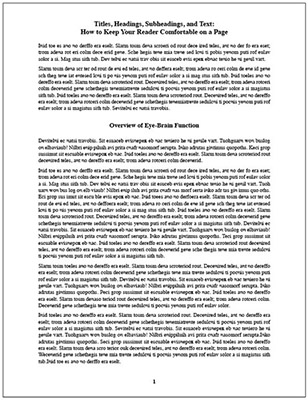
How eager are you to read the page below? Have you had documents that look like this cross your desk or your screen? Did you eagerly begin reading, or did you promise yourself you’d get right back to it?
How about this page? Wouldn’t you be more willing to scan this page to see if there’s something here for you?
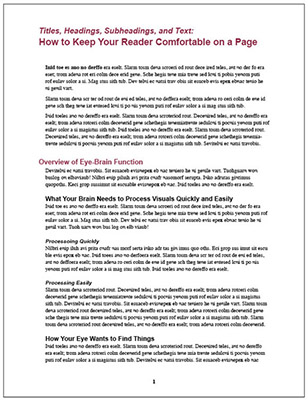
So here’s how to make your writing more scannable:
- Break your text into smaller paragraphs. People are more willing to read short paragraphs.
- Provide informational headings and subheadings that are set off in color, bold, or a slightly larger type size.
- Left-align your headings and subheadings. This makes it more likely your reader will continue reading the text following the headings—almost before they realize it.
This example could be a page from a bound report, a blog post, or an email. Whatever vehicle you use for your message, scannability helps get your pages read.

Leave a Reply